
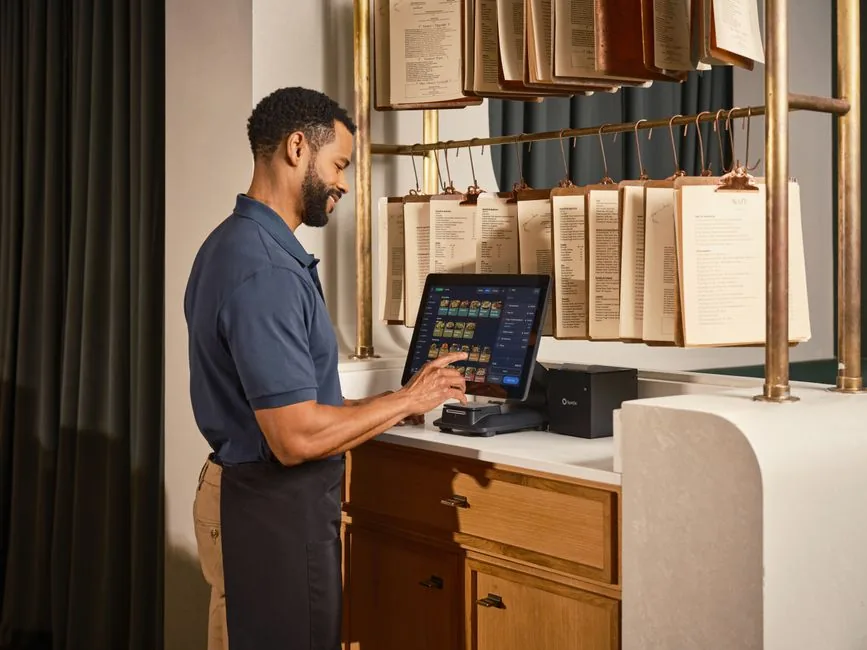
Top POS Computer Software Solutions for Your Business
In the fast-paced world of commerce, having the right tools is essential for success. One of the most vital tools for any retail or hospitality business is a reliable POS computer software. This software not only facilitates transactions but also enhances customer experience, streamlines operations, and provides valuable insights into business performance. In this article, we will explore various aspects of POS computer software, including its benefits, features, and popular options available in the market.
Understanding POS Computer Software
What is POS Computer Software?
POS computer software is a system that manages the sales process in retail and hospitality environments. It replaces traditional cash registers and allows businesses to conduct transactions electronically. This software typically integrates with hardware components like barcode scanners and receipt printers, making transactions faster and more efficient. The primary role of POS computer software is to process sales, but it also offers features such as inventory management, customer relationship management (CRM), and reporting.
Benefits of Using POS Computer Software
Implementing a robust POS computer software can significantly improve business operations. One of the key benefits is enhanced transaction efficiency. With quick scanning and processing, customers experience shorter wait times, leading to higher satisfaction rates. Additionally, most POS systems provide real-time inventory tracking, which helps prevent stockouts and overstock situations. According to a report by Square, businesses that use POS systems see a 15% increase in sales on average due to improved customer service and operational efficiency.
Key Features of POS Computer Software
Sales and Transaction Management
Sales and transaction management is the core functionality of any POS computer software. It allows businesses to record sales, process payments, and issue receipts. Most software options support various payment methods, including credit cards, debit cards, and mobile payments, ensuring flexibility for customers. Advanced systems also offer features like split payments and tips, which are particularly useful in the hospitality sector.
Inventory Management
Effective inventory management is crucial for any business. POS computer software often includes tools for tracking stock levels, monitoring product performance, and generating reorder alerts. This feature helps businesses maintain optimal inventory levels and reduces the risk of lost sales due to unavailable products. For instance, a study by the National Retail Federation revealed that retailers lose nearly $1.75 trillion annually due to poor inventory management practices.
Popular POS Computer Software Solutions
Square POS
Square POS is one of the most popular choices for small to medium-sized businesses. It offers a user-friendly interface and a wide range of features, including sales tracking, inventory management, and customer insights. Square also provides a free version of its software, making it an accessible option for startups. Additionally, it integrates seamlessly with various hardware components, making it a versatile solution for different business types.
Shopify POS
For businesses already using Shopify for e-commerce, Shopify POS provides a powerful solution that integrates online and offline sales. This software allows retailers to manage their store and online presence from one platform. It offers features such as customer profiles, sales analytics, and inventory synchronization across channels, providing a holistic view of business performance. According to Shopify, retailers using their POS system experience an increase in sales due to the ability to engage customers effectively.
Choosing the Right POS Computer Software
Assess Your Business Needs
When selecting a POS computer software, it is essential to assess your specific business needs. Consider factors such as transaction volume, the types of products you sell, and your budget. For example, a high-volume retailer may require advanced features like multi-location management and detailed reporting, while a small café may benefit from a simpler, more cost-effective solution.
Evaluate Software Flexibility and Scalability
Another critical factor to consider is the software’s flexibility and scalability. As your business grows, your POS needs may change. Choose a solution that can adapt to your evolving requirements. Look for software that allows for easy integration with additional features or third-party applications to ensure long-term viability.
Tips for Maximizing Your POS Computer Software
To get the most out of your POS computer software, consider the following tips:
- Regularly update your software to access new features and security patches.
- Train your staff thoroughly on how to use the system effectively, ensuring a smooth customer experience.
- Utilize the reporting features to gain insights into sales trends and customer behavior.
- Integrate your POS with other business tools, such as accounting software, to streamline operations.
In conclusion, investing in the right POS computer software can revolutionize your business operations. From improving transaction efficiency to providing valuable insights, these systems offer a plethora of benefits. By understanding your business needs and carefully evaluating available options, you can select the best POS solution that aligns with your goals. Start optimizing your business today by choosing the right POS computer software!